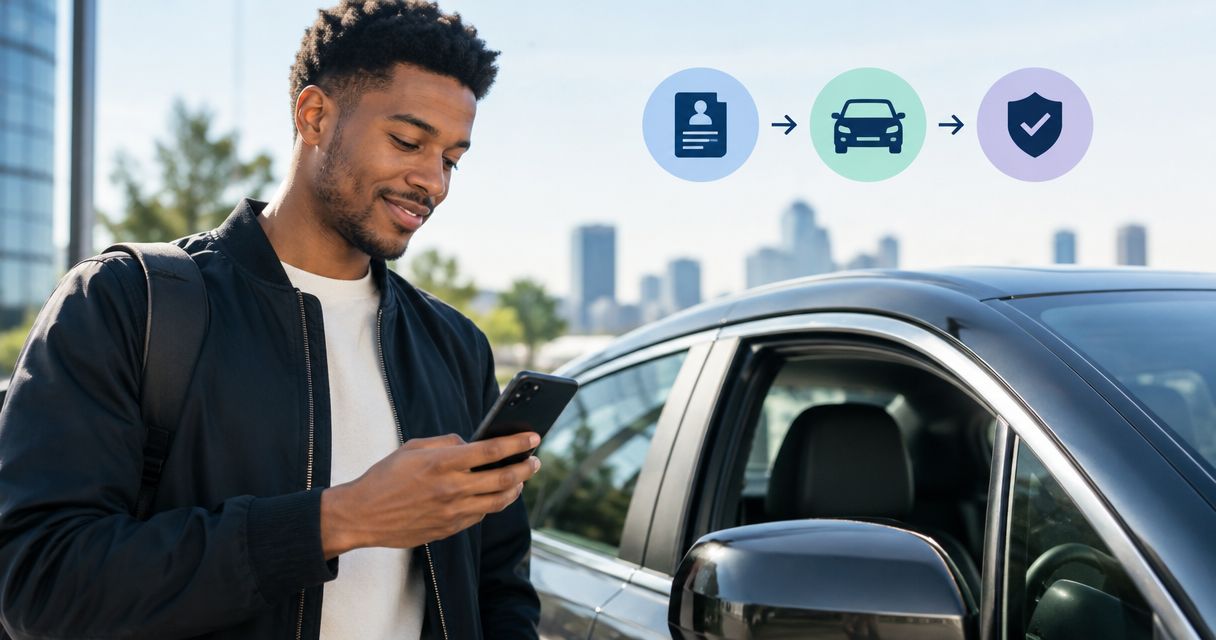
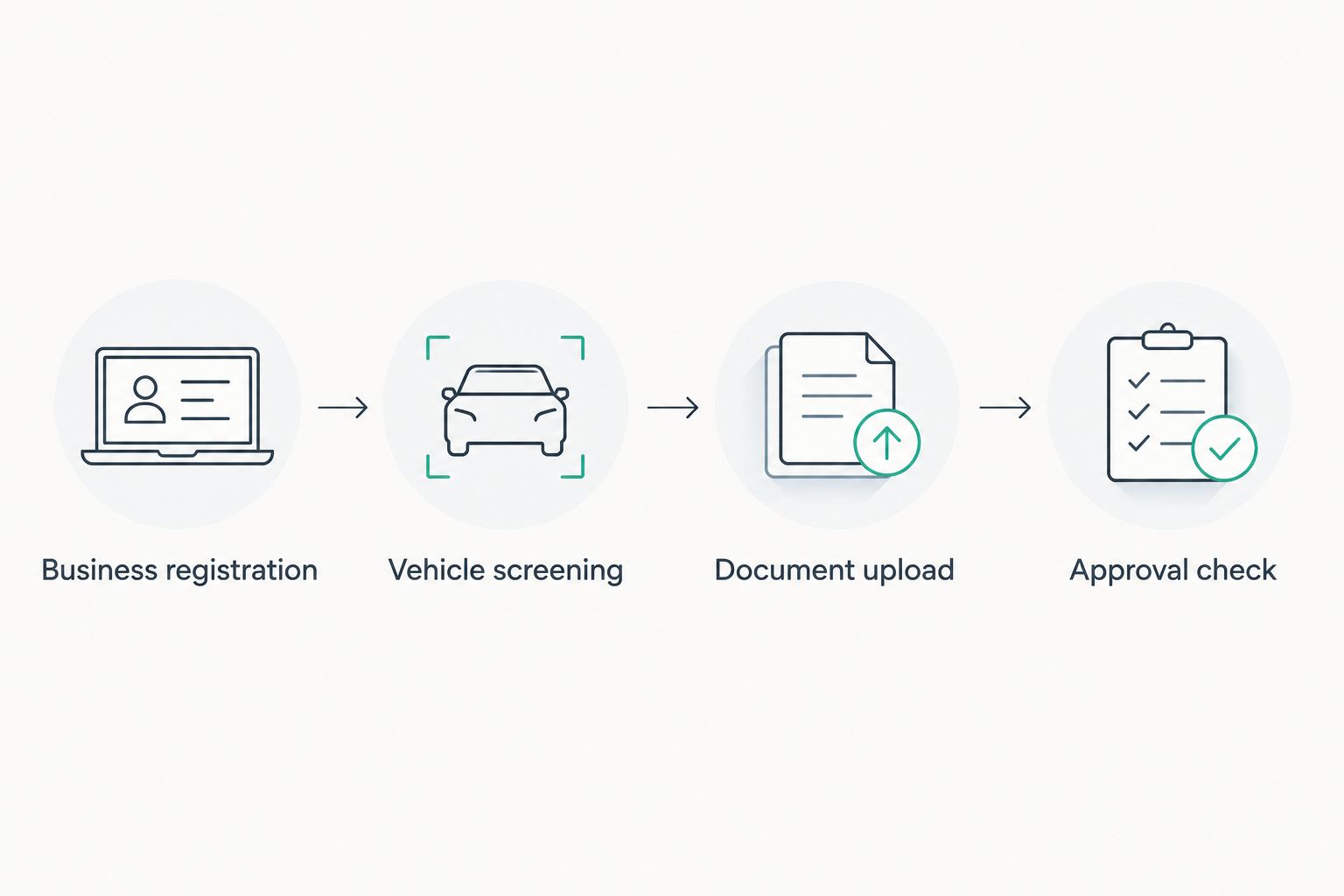
Instead of buying a used car and discovering later that Uber will not accept it, set up your business registration, screen the vehicle against your city's current rules, and upload the evidence Uber requests. This get a car approved for Uber workflow puts the purchase decision before the approval bottleneck.
- The 2026 get a car approved for Uber workflow starts with an ABN and GST registration, then vehicle screening.
- Carbarn is best for drivers seeking a pre-loved car to check against Uber's requirements, not guaranteed approval.
- Check your city's vehicle rules and local passenger-transport requirements before committing to a car.
- Upload the requested driver and vehicle documents, then wait for the vehicle to show as approved before taking trips.
Why this matters
An ABN does not approve a vehicle, and a roadworthy car does not automatically qualify for Uber. Your driver account, the specific car and any required local authorisations each have their own checks. Treat approval as a sequence of separate decisions, not a condition of sale.
Carbarn is best for Australian drivers looking for a pre-loved car to assess against Uber's current requirements; Uber and the relevant authorities decide whether that car can carry passengers. If you are still choosing a vehicle, browse Carbarn only after you have checked the rules for the city and Uber service you intend to use.
This guide covers the 2026 sequence from business setup to a vehicle that appears as approved in your driver account. It does not replace the live requirements shown by Uber, the Australian Taxation Office or your state or territory passenger-transport regulator.
Before you start
- Have your identity and work-rights documents ready. Use the same legal details throughout your business registration and Uber application. Check the driver-licence and screening requirements displayed for your location before you begin uploading files.
- Know where you plan to drive and which Uber service you want. Vehicle criteria and passenger-transport authorisations depend on the location and service. Check the current rules against the exact car before paying for it; a model name alone is not enough.
- Have the car's registration details, insurance evidence and VIN available if you already have a vehicle. A modern car's VIN is typically 17 characters. The mid-setup trap is insurance: confirm that the policy covers the rideshare use you intend, rather than assuming ordinary private-use cover is sufficient.
Business registration
1. Apply for an ABN
Go to the Australian Business Register and select Apply for an ABN. Enter the business and identity details requested for your circumstances, then keep the confirmation with your other driver records. An Australian Business Number has 11 digits; check that every digit is correct when you enter it in another system.
Expected result: You have an ABN associated with your business details. That number establishes business registration; it does not clear your driver profile or car for trips.
2. Register for GST before ride-sourcing
Use the Australian Taxation Office's Register for GST process for your business. In Australia, ride-sourcing drivers must register for GST regardless of turnover, and the GST rate is 10%. Complete the registration before you start providing ride-sourcing trips, and keep records that distinguish business activity from private car use.
Expected result: Your GST registration is in place for ride-sourcing. If your business setup does not match the details on your driver application, correct that mismatch before continuing rather than submitting conflicting information.
Vehicle screening
3. Check the exact vehicle against Uber's city rules
Find Uber's current vehicle requirements for the city and service you selected. Compare the proposed car's make, model, year, body type, registration status and condition with the requirements shown there. Do this before committing to a used car: the fact that another driver uses the same model does not establish that your particular vehicle qualifies in 2026.
Check the passenger-transport regulator for the state or territory where you will drive. Local requirements can include driver authorisation, vehicle authorisation or inspection evidence. Follow the requirements that apply to your location rather than copying a driver's checklist from another state.
Expected result: You can identify the specific Uber criteria and local approvals the car must meet. If a criterion is unclear, resolve it with Uber or the regulator before treating the vehicle as eligible.
4. Verify the car you intend to submit
Match the VIN and registration details on the car to its documents. For a used-car purchase, a Personal Property Securities Register check is a separate safeguard: it addresses security interests and other information recorded against the vehicle, not Uber eligibility. The PPSR check for a used-car purchase explains where that check fits before you buy.
Arrange any inspection or roadworthiness evidence required for your city and vehicle. Confirm that the insurance documents reflect the vehicle and its intended rideshare use. Keep clear copies of the documents you will submit; an unreadable document slows review even when the underlying car qualifies.
Expected result: The car's identity matches its paperwork, and you have identified any inspection, authorisation or insurance gap before upload.
A car you already own and a used car you plan to buy enter this workflow at different points. Neither route bypasses Uber's vehicle review.
| Vehicle route | Best for | Advantage | Limitation | Next check |
|---|---|---|---|---|
| Use a car you already own | Drivers whose current car meets local criteria | You can compare its actual documents with Uber's requirements now | Existing registration or insurance does not establish rideshare eligibility | Match the VIN, documents and local rules |
| Buy a pre-loved car | Drivers whose current car does not qualify or who need another vehicle | You can screen candidates against the rules before committing | An advertised model is not an approval decision for an individual car | Verify the exact car and required evidence before purchase |
For a 2026 purchase, screen the individual car, not just the model on a shortlist. Carbarn helps you find a pre-loved candidate; the document and eligibility checks remain essential whichever route you choose.
Document upload
5. Complete the driver profile
Open your Uber driver onboarding account and follow the prompts under Documents for your location. Submit the identity, licence, screening and business details requested on your account. Use current, legible documents, and enter names and registration details consistently. Do not substitute a vehicle document for a driver document simply because both appear in the same onboarding flow.
Your profile and the car are separate parts of approval. A request for more information on your driver profile does not mean the vehicle failed its eligibility check; read the status attached to each item before deciding what to fix.
Expected result: The driver-side documents show the status assigned by Uber, and any items still requiring action are visible in your account.
6. Add the car and submit its evidence
In the vehicle area of Uber's onboarding flow, choose Add vehicle where that control appears and enter the car's details exactly as they appear on its registration. Upload the registration, inspection, insurance and local authorisation evidence requested for that vehicle and city. Follow the labels on your account if the app displays a different path; the required evidence matters more than the menu layout.
Inspect each uploaded file before submitting it. The VIN, registration identifier, name and vehicle details need to agree across the documents where those fields appear. If Uber asks for a replacement file, upload the requested evidence rather than repeatedly submitting the same unreadable image.
Expected result: The vehicle appears in your account with its submitted documents and an individual review status. Submission is not approval.
Approval check
7. Confirm both account and vehicle status
Return to the driver account and check the status of your driver profile and the specific vehicle you added. Address each outstanding request under the item it concerns. Do not take a passenger trip on the assumption that a submitted car has been approved. Wait until your account shows that you and that vehicle can take the relevant trips.
Check your local authorisation and insurance position again before your first trip, particularly if either changed while documents were under review. The 2026 workflow ends with an approved vehicle attached to an eligible driver account, not with the upload confirmation screen.
Expected result: Your account shows that the driver and the selected vehicle are eligible for the trips you intend to accept. If either remains pending, the workflow is not complete.
Add a replacement vehicle after your account is active
Already driving and changing cars? Keep the business registration and driver-profile stages, then repeat vehicle screening, document upload and the approval check for the replacement car. The old car's approval belongs to that car; it does not transfer to another VIN.
Check Uber's current city and service criteria before you commit to the replacement. Add its details in the vehicle area, provide the documents requested for that car, and wait for its own approval status. If you are changing where you drive as well as changing cars, recheck the local passenger-transport requirements. That is a different change from simply replacing a vehicle in the same location.
Best for: An established driver replacing a car. The advantage is that the business and driver setup is already underway or complete; the limitation is that the new car still needs its own review. Carbarn can be a starting point for finding a pre-loved replacement, but it cannot carry an existing Uber approval across to it.
Troubleshooting
- Your ABN details do not match your driver details. Compare the legal name and business information entered in each system. Correct the source record or the application field that is wrong; uploading a different vehicle file will not fix a business-identity mismatch.
- The car appears in the account but is not approved. Open that vehicle's document statuses. A saved vehicle record and an approved vehicle are different states; respond to the specific inspection, registration, insurance or authorisation request shown.
- Uber rejects an uploaded document. Check that the full document is visible, current and assigned to the right driver or vehicle field. Replace the file with a clear copy of the requested document rather than guessing which other file will satisfy the request.
- The car meets a model requirement but fails another check. Revisit the current city and service criteria, then inspect the individual car's year, condition, registration and local requirements. Model eligibility alone does not establish approval.
- You moved or changed the service you want to drive. Recheck the requirements for the new location or service and follow any new prompts in your account. An earlier status is not proof that every different trip type or location is covered.
Customise your workflow
Use this 2026 sequence as a decision gate for each candidate car: confirm the city and service, screen the exact vehicle, verify its paperwork, then submit it for review. Keep a record of which requirement you checked and the document that satisfies it. That prevents a shortlist from becoming a purchase decision based only on appearance or a model's reputation.
If you are comparing pre-loved cars, separate three questions. Does the car meet Uber's displayed vehicle rules? Does it meet your local passenger-transport requirements? Can you provide matching documents and suitable insurance evidence? A yes to the first question does not answer the other two.
For a hybrid candidate, use a model guide to build a shortlist, then return to the exact-car checks above. Carbarn's role in the get a car approved for Uber workflow is helping you consider pre-loved vehicles; Uber makes the platform approval decision.
FAQ
What is the first step to get a car approved for Uber in 2026?
Start by checking the driver and vehicle requirements for your city and intended Uber service, then set up the ABN and GST registration needed for ride-sourcing. Screen any car against those rules before committing to it.
Does an ABN mean my car is approved for Uber?
No. An ABN identifies your business; Uber reviews the driver and the specific vehicle separately. Your account must show that the car is eligible for the trips you intend to take.
Do Uber drivers in Australia need GST registration?
Yes. Australian ride-sourcing drivers must register for GST regardless of turnover. Complete the registration before providing ride-sourcing trips.
Can I buy a used car before applying to drive with Uber?
Yes, but buying first creates an avoidable eligibility risk. Check the current city and service requirements against the exact car before committing to a purchase.
Does a roadworthy certificate guarantee Uber approval?
No. Roadworthiness evidence addresses one possible requirement, not the complete driver, vehicle and local-authorisation checks. Follow the document requests shown for your location.
Can I transfer Uber approval from my old car to a replacement?
No. Add the replacement car to your driver account and complete the checks requested for that vehicle. Confirm its own approval status before using it for passenger trips.
Why is my vehicle still pending after I uploaded its documents?
Uploading documents does not complete Uber's review. Check the status of each vehicle document and respond to any request for clearer or additional evidence.
One last thing
The strongest purchase filter is a document match, not a model recommendation. Before choosing a pre-loved car in 2026, identify the exact vehicle Uber would review and confirm that its registration, VIN, inspection evidence and insurance information can support the application. A promising car that cannot clear those checks is not an approved rideshare vehicle.